UI copy that sounds like your brand
CopyWise learns your style guide and copy library, then generates on-brand suggestions in context. No tab-switching. No re-prompting.
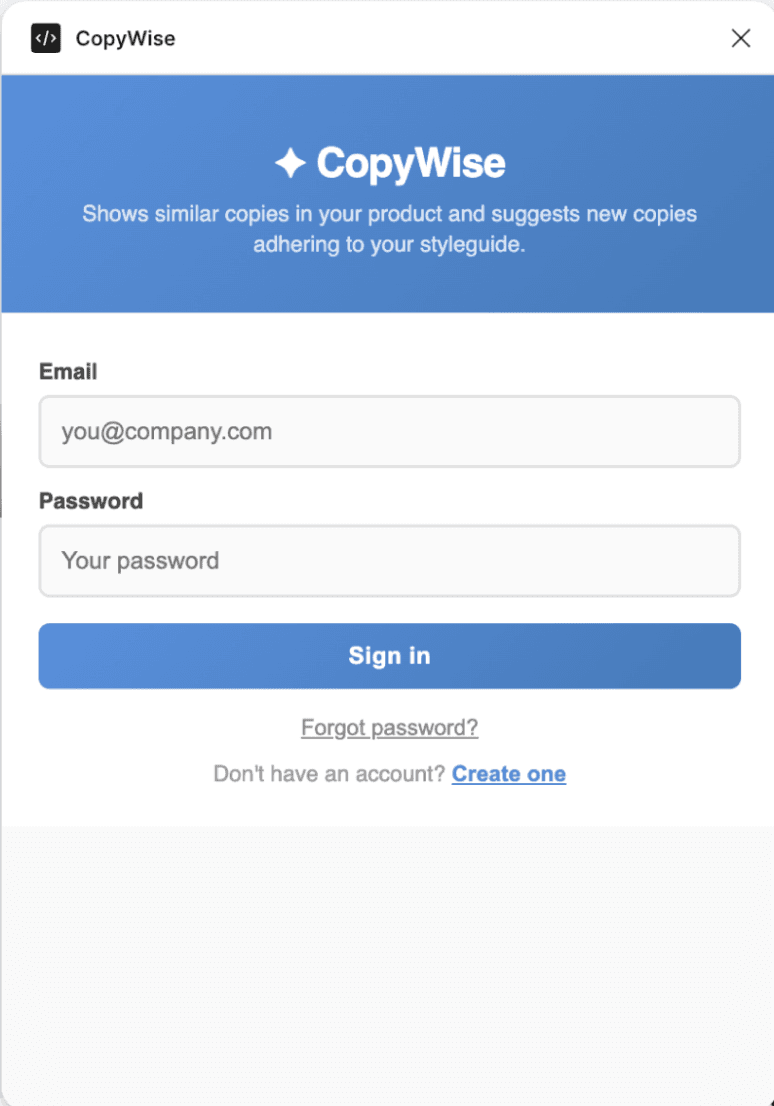
Features
Everything you need for consistent copy
CopyWise brings AI, your style guide, and your entire copy library together — right where you design.
Semantic Copy Search
Beyond Ctrl+F
When your product has thousands of strings, it's easy to miss existing patterns and create inconsistent copy. CopyWise surfaces similar text by meaning, not just keywords — so you reuse what already works.
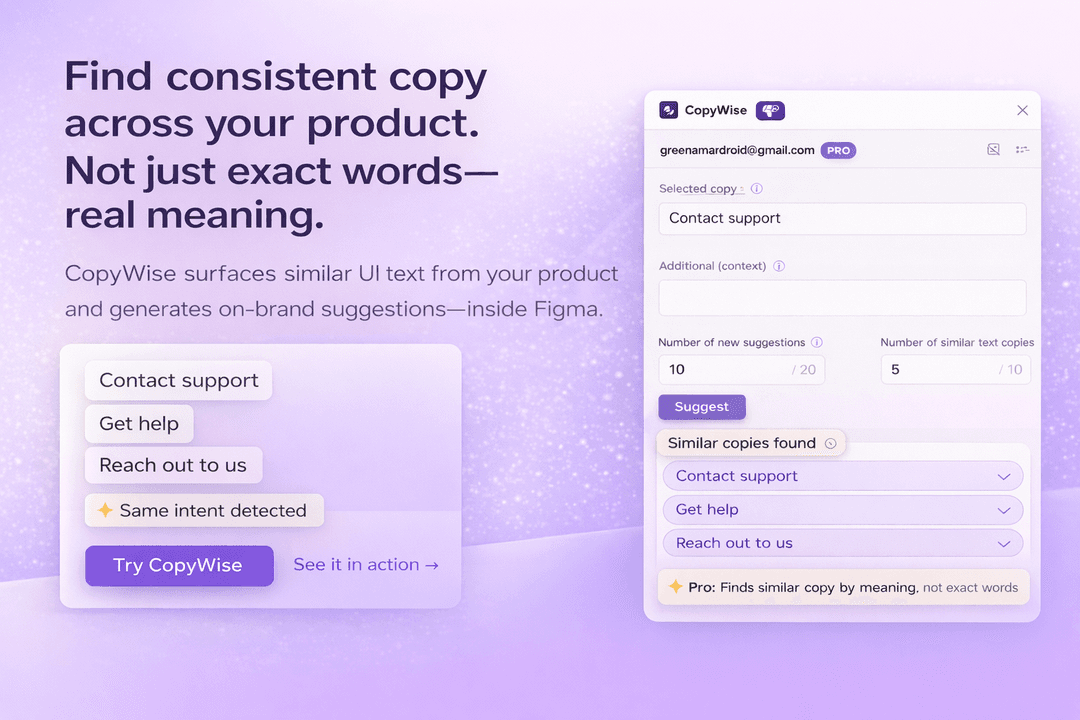
Example — all treated as the same intent:
- Contact support
- Get help
- Reach out to us
A normal search treats these as different strings. CopyWise understands they mean the same thing — and brings them to your notice so you can stay consistent across your entire product.
Style guide–adhering suggestions
Paste your brand's writing rules or use the built-in 125-rule guide. Every AI suggestion automatically follows your tone, grammar, and vocabulary — no extra prompting needed.
Instant, in-context
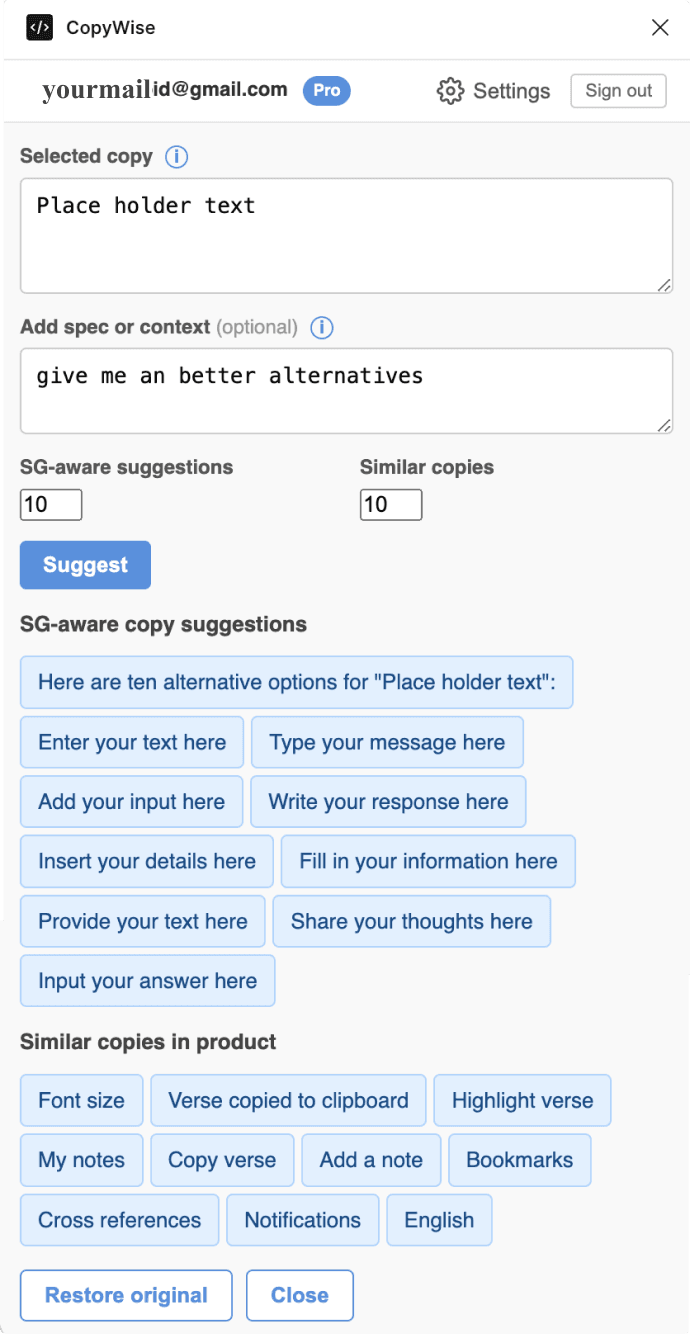
Works directly inside Figma — no context switching. Select a text node, provide context, get suggestions, and apply with one click straight back to the canvas.
Easy setup
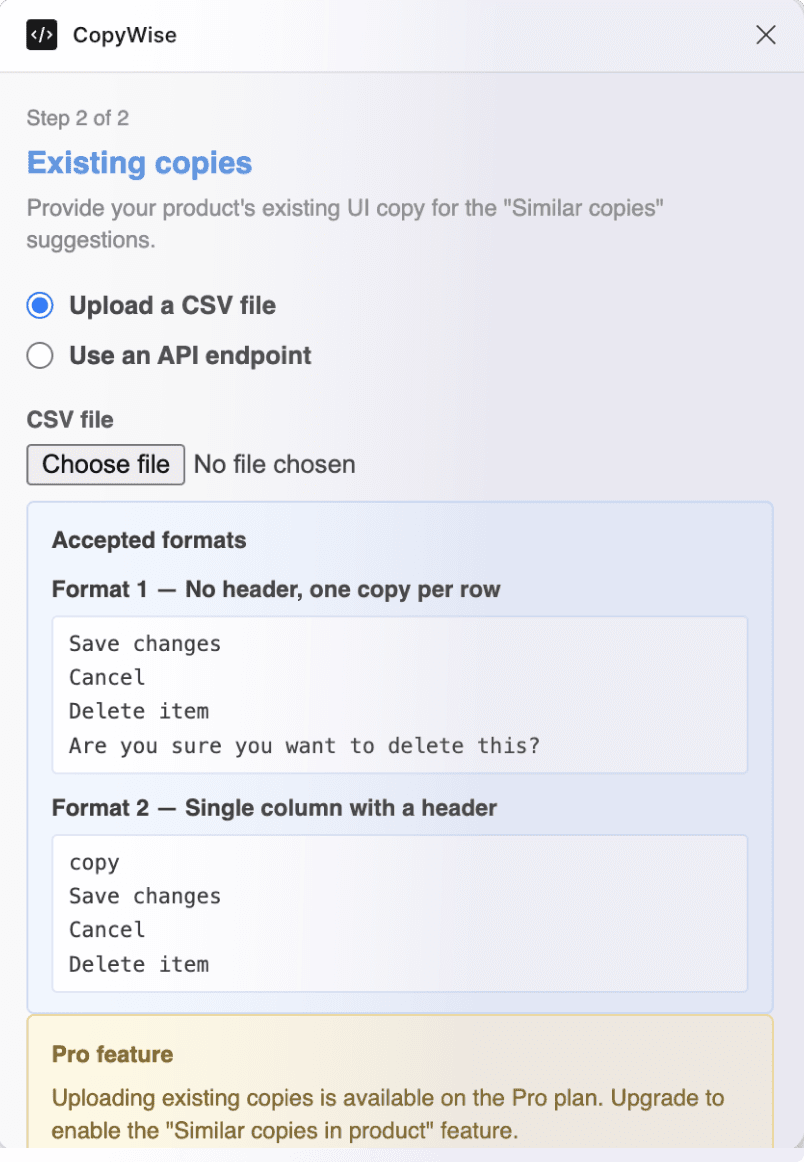
Upload your existing product copy as an XLSX or sync via API. CopyWise is ready in minutes — no engineering work required.
ChatGPT doesn't know your brand
ChatGPT is great for general copy. But it doesn't know that your brand says “Member” not “User”, uses sentence case everywhere, or that you already have three ways to say “contact support” in production.
Every session, you re-explain your voice. Every suggestion, you manually check consistency.
Your brand voice is always in the room
Your style guide is baked into every suggestion automatically. Your copy library surfaces patterns you've already approved — so you reuse what works instead of reinventing it.
The more you use CopyWise, the more consistently it writes like your brand.
Watch the demo
See CopyWise in action
Watch how semantic copy search and style guide–adhering suggestions work together inside Figma.
See it in action
Built for product consistency at scale
From a handful of screens to thousands of strings — CopyWise keeps your copy coherent.
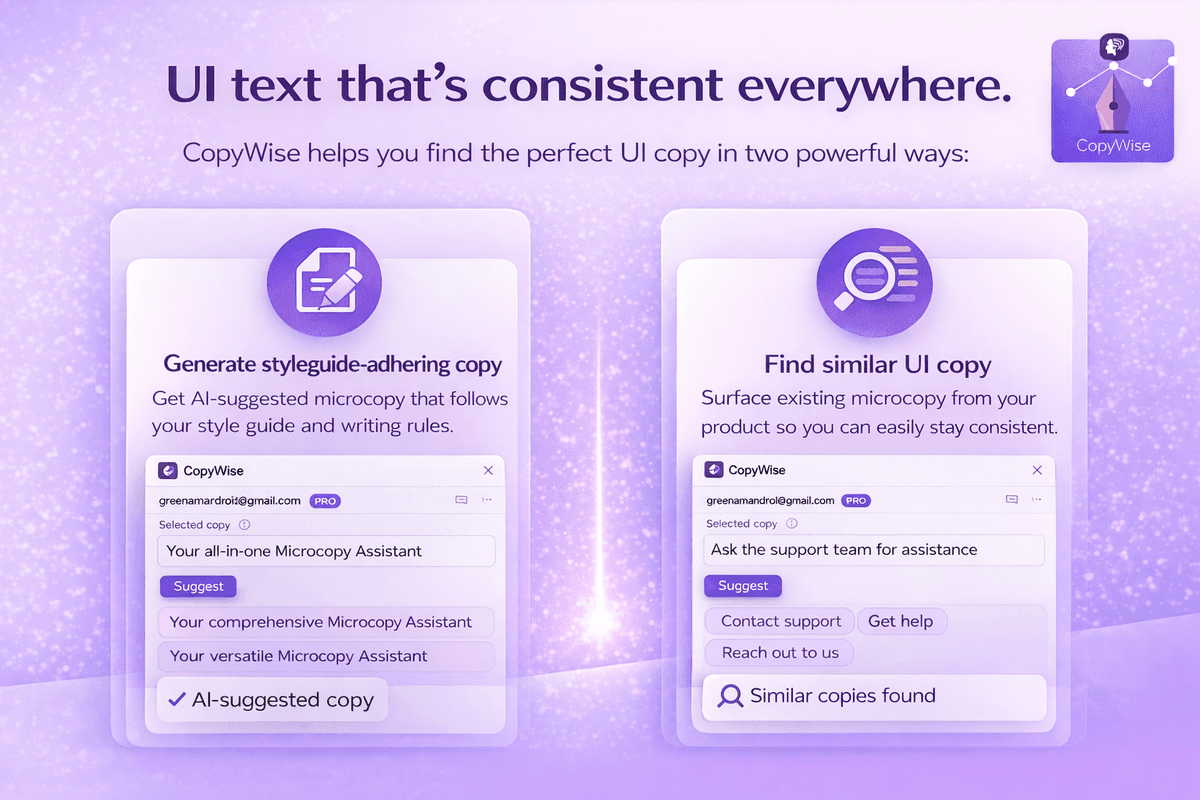
01 — Two powerful ways
UI text that's consistent everywhere
CopyWise helps you find the perfect UI copy in two powerful ways: generate style guide–adhering suggestions with AI, and surface semantically similar copy from your existing product so you can stay consistent.
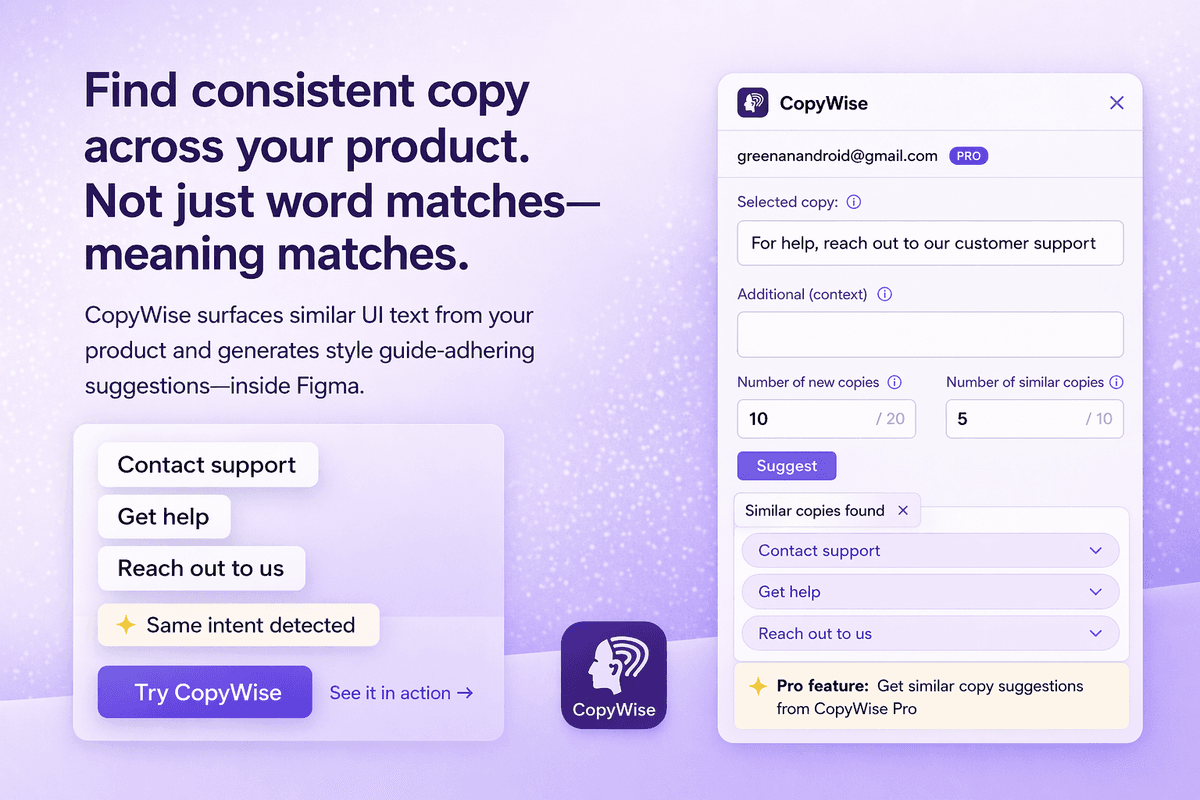
02 — Semantic search
Find consistent copy — by meaning, not keywords
Type any string and CopyWise searches your product copy library by intent. “Contact support”, “Get help”, and “Reach out to us” all surface together — so you never accidentally express the same idea two different ways.
How it works
Up and running in minutes
Three steps from install to your first AI-powered, consistency-checked copy suggestion.
Set up your style guide & copy library
Paste your brand's style guide or choose the built-in default. Then upload your existing product copy as an XLSX, or sync via API — CopyWise will use it to surface semantically similar strings.
Select a text node and add context
Click any text element in your Figma design. Provide optional context about the UI element — CopyWise reads the selection instantly, no copy/paste or tab-switching required.
Pick the best copy and apply
Browse AI-generated suggestions that follow your style guide alongside semantically similar strings from your own product. One click applies it straight back to the text node on your canvas.
Pricing
Simple, honest pricing
Try free forever. Upgrade when you need more.
Free
Perfect for evaluating CopyWise before committing.
- 50 lifetime suggestions
- AI copy generation
- Default style guide (125 rules)
- New + Reuse tabs
- Custom style guide upload
- Semantic Copy Search
- XLSX copy library upload
- API sync
Pro
For designers and writers who ship copy every day.
- Unlimited suggestions
- Custom style guide upload
- Semantic Copy Search (beyond Ctrl+F)
- XLSX library upload (up to 5,000 rows)
- API sync + auto-refresh
- Up to 3 devices
- Priority support
Cancel anytime. Billed monthly. Prices in USD.
Free resource
The 125-rule UX writing style guide
The same style guide baked into CopyWise by default — covering case conventions, voice, error messages, buttons, loading states, and more. Free to use in any product.
A few examples from the guide
Use active voice — "You will lose access" beats "Access will be lost" every time.
Frame restrictions positively — "Reassignment is unavailable" not "You cannot reassign".
Always use Oxford comma in series — "apples, oranges, and bananas".
Never blame users in error messages — avoid "You can't" constructions.
Use Effect–Cause–Solution order for errors — "Upload failed: file format invalid. Try a JPEG."
Sentence case for all button text — never title case, never punctuated.
119 more rules across case, voice, punctuation, numbers, errors, buttons, and more.
Read all 125 rulesWant CopyWise to apply these rules automatically to every AI suggestion? Install the free Figma plugin →
FAQ
Frequently asked questions
ChatGPT is a general-purpose writing tool — it doesn't know your brand voice, style guide, or existing copy library. Every session, you re-explain your rules. CopyWise is different: your style guide is baked into every suggestion automatically, and your copy library surfaces patterns you've already approved. You also never leave Figma — select a text node and apply a suggestion in two clicks, without copying and pasting across tabs.
CopyWise sends your selected text and style guide to GPT-4o-mini, which returns multiple copy alternatives. It also searches your copy library using semantic vector similarity (Pinecone) to surface relevant existing copy from your own product.
Yes. Your CSV copy is embedded as vector representations in a Pinecone namespace isolated to your account. The original text is stored as metadata, and only your authenticated account can query it. We never share your data.
The free plan gives you 50 lifetime suggestions — enough to evaluate whether CopyWise fits your workflow before committing to Pro.
Yes. Pro users can replace the default 125-rule style guide with their own brand writing guidelines. The default guide covers sentence casing, Oxford commas, active voice, error message structure, and over 100 other rules.
Any CSV with a column named "text", "copy", "name", or "content". You can also upload plain text files with one entry per line. The maximum is 5,000 rows, with each entry up to 500 characters.
Currently CopyWise supports Figma design files only. FigJam support is on the roadmap.
Get started today
Start writing better copy today
Install CopyWise in Figma and get 50 free suggestions — no credit card required.
Install free plugin